Settings reference
Look up any setting of the Free Edition, with its default value, the values it takes and where it is in your WordPress admin.
This reference covers the Free Edition, Atelier - Cancel Order & Change Address for WooCommerce, from version 1.0.0. Each setting is described once, here, and the other pages link to it.
Editing window
These settings are in WooCommerce > Settings > Customer order editing, under Editing window. Store rules explains how they work together.
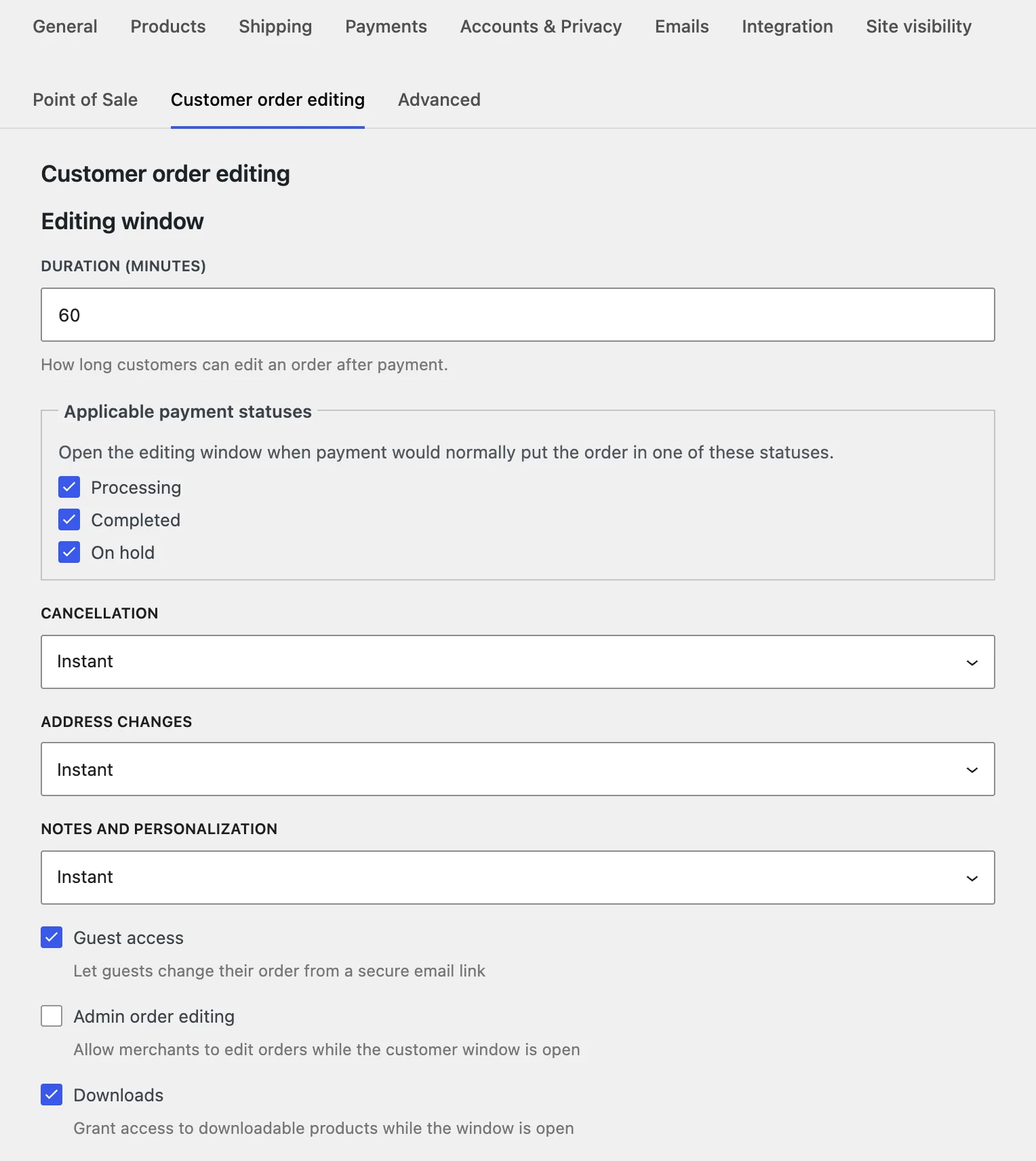
Duration (minutes)
How long customers can change an order after payment. If you change it, every order whose window is open moves to the new deadline, counted from when its window opened.
- Default: 60.
- Values: a whole number from 1 to 10,080 minutes (seven days).
Applicable payment statuses
Which paid orders open the window: those whose payment would normally put them in one of the ticked statuses. An order whose payment leads to a status you cleared skips the window.
- Default: Processing, Completed and On hold, all three ticked.
- Values: each of the three, ticked or cleared.
Cancellation, Address changes and Notes and personalization
One mode for each change customers can make. Instant applies the customer’s change as soon as they confirm it. Requires approval turns it into a request that you approve or reject on the order screen. Disabled hides the change from customers.
- Default: Instant, for all three.
- Values: Instant, Requires approval or Disabled.
Guest access
Lets guests change their order from the signed Manage order link in their emails. Turning it off stops every guest link at once, including the ones already sent.
- Default: on.
- Values: on or off.
Admin order editing
Lets you edit the order’s items in WooCommerce while the customer’s window is open.
- Default: off.
- Values: on or off.
Downloads
Lets customers download what they bought while the window is open.
- Default: on.
- Values: on or off.
Customer text
These settings are in the same tab, under Customer text. Each text is shown to customers next to its change, as plain text.
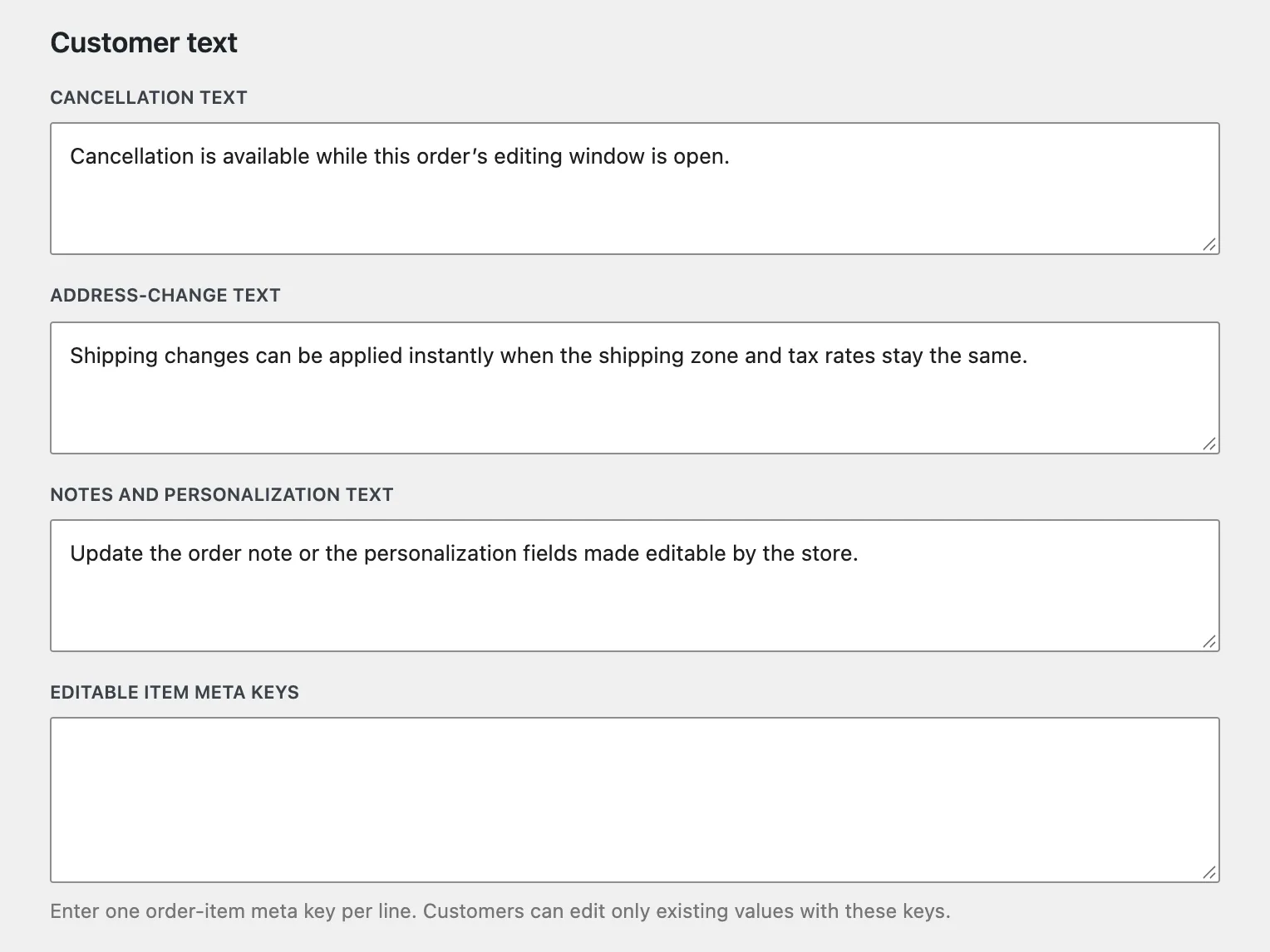
Cancellation text
- Default: “Cancellation is available while this order’s editing window is open.”
- Values: plain text.
Address-change text
- Default: “Shipping changes can be applied instantly when the shipping zone and tax rates stay the same.”
- Values: plain text.
Notes and personalization text
- Default: “Update the order note or the personalization fields made editable by the store.”
- Values: plain text.
Editable item meta keys
The personalization fields customers can change, by their order-item meta key. A customer can change a value only if the order already has one for that key.
- Default: empty, so no personalization field can be changed.
- Values: one order-item meta key per line.
Emails
The plugin’s seven emails are in WooCommerce > Settings > Emails: select Manage next to an email to open its settings. Store rules says when each one is sent.
Enable/Disable
Every email has it, labelled Enable this email notification.
- Default: on, for all seven.
- Values: on or off.
Subject and Email heading
Every email has both.
- Default: empty, which uses the email’s own text, shown in the empty field.
- Values: plain text.
Additional content
Only Guest order management link has it: a text shown below the main content of the email.
- Default: empty.
- Values: text.
Email type
Every email has it.
- Default: HTML.
- Values: Plain text, HTML or Multipart.
Recipient(s)
Only the three emails sent to you have it: Store alert: customer changed their order, Cross-zone address request and Manual refund pending.
- Default: empty, which sends them to the store’s admin email.
- Values: one or more email addresses, separated by commas.
Debounce window (minutes)
Only Customer order edit summary has it: how long the plugin waits after a customer’s latest change before it sends one summary of all of them.
- Default: 5.
- Values: a whole number of minutes, from 1.
Digest and Digest window (minutes)
Only Store alert: customer changed their order has them. With Digest on, labelled Group this order’s actions into a digest, the plugin groups each order’s actions into one email, sent once Digest window (minutes) has passed.
- Default: Digest off, and a Digest window (minutes) of 15.
- Values: Digest on or off; the window, a whole number of minutes from 1.