Import
Bring in the reviews your store already has in WooCommerce, so the widget lists and moderates them with the rest.
On this page
If your store already has WooCommerce product reviews, the import brings them into Visual Reviews. It is in both Editions, from version 1.0.0.
You import them and moderate them in the same inbox. If WooCommerce already had them as a verified purchase, they keep the badge.
What the import does
The import indexes existing WooCommerce reviews in place. It does not delete native reviews, change their text, or create duplicate comments.
- A review that is approved in WooCommerce is imported as approved, and one that is pending, as pending.
- Reviews in the spam folder or in the trash are skipped.
- It brings in WooCommerce’s own reviews, not reviews from other review apps or from files.
- An imported review sends you no new review notification.
- In Pro, an imported review earns no coupon: rewards are for reviews that come from a review request.
Run the import
Before you start:
- Your store has WooCommerce product reviews.
- Open Visual Reviews > Native import.
- Check in Import summary how many native reviews are Ready to index.
- Select Run import.
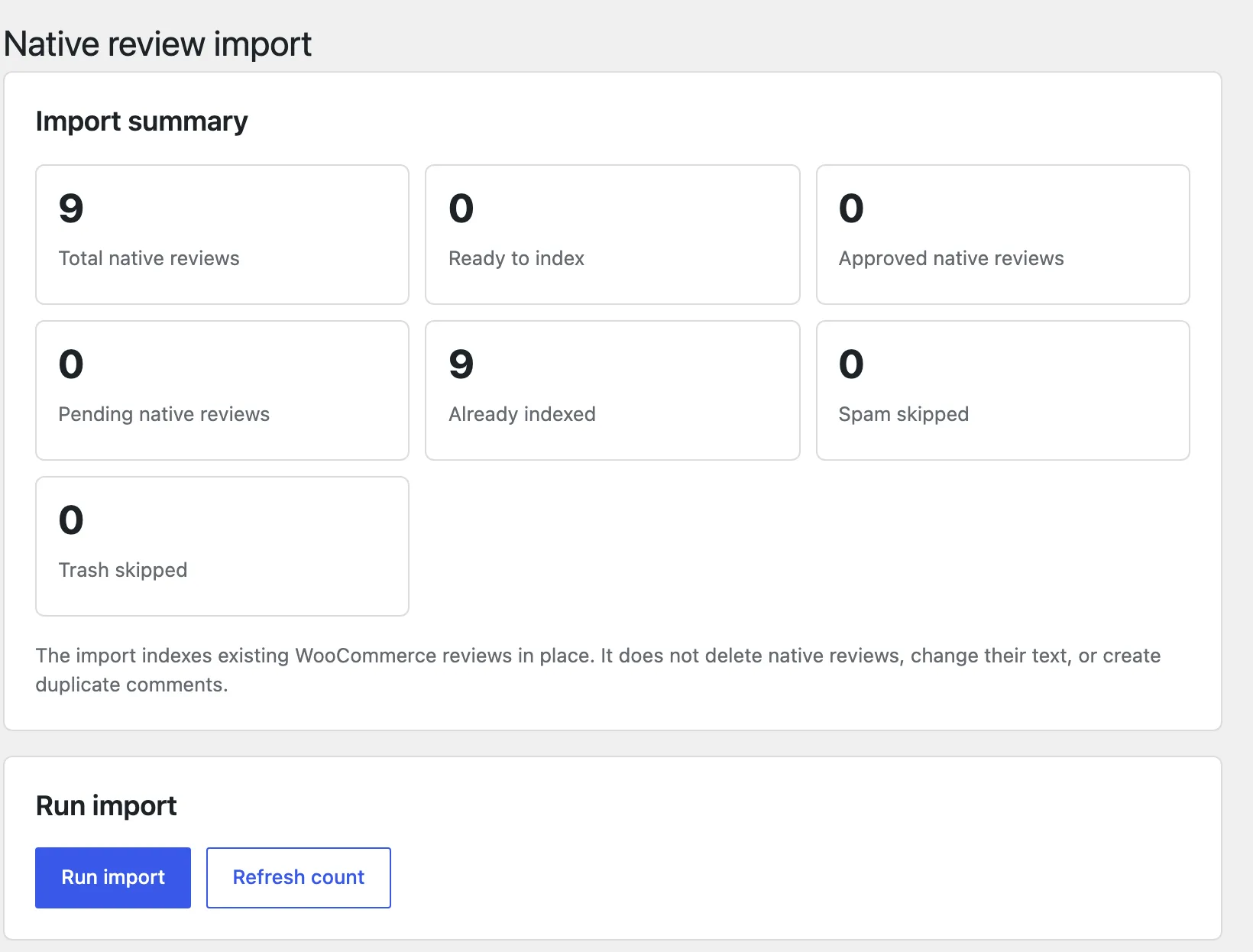
The screen confirms with “Native review import finished.”, Last import result shows how many were imported, and Already indexed in Import summary now counts them.
The import runs only when you select it. You can run it again at any time: a review that is already imported is not imported twice.
Close the gap in the review count
In the product reviews widget, the number next to the title, or in the trust header of Pro, counts every approved review of the product, including native WooCommerce reviews that have not been imported. The list shows only the reviews that are in Visual Reviews. Until you import them, a product can say “8 reviews” and list seven.
Run the import and the list shows them too, with Show more reviews for the ones after the first load.
After the import
Imported reviews appear in Visual Reviews > Manage reviews, with Native import as their origin. Moderation explains what you can do with them.